Looking to set up a secure WireGuard VPN server in seconds? Here's how you can provision a ready-to-use VPN panel (WGDashboard) on your Expanse VM.
⚙️ What Is WGDashboard?
WGDashboard is a web-based interface for managing WireGuard VPNs. It simplifies peer management, key generation, and configuration — all from your browser.
🚀 One-Click Setup
If you're using a supported Expanse VM, just select the WireGuard + WGDashboard option from the one-click app list — and you're done!
It automatically:
-
Installs WireGuard + dependencies
-
Configures NAT & IP forwarding
-
Installs and starts WGDashboard
-
Pre-configures a working
wg1server interface
📍 Accessing the Dashboard
Once the install is done:
-
Wait for 2 minutes to let all dependencies and WGDashboard install (after installation E-mail)
-
Open your browser to:
http://<your-vm-ip>:10086 -
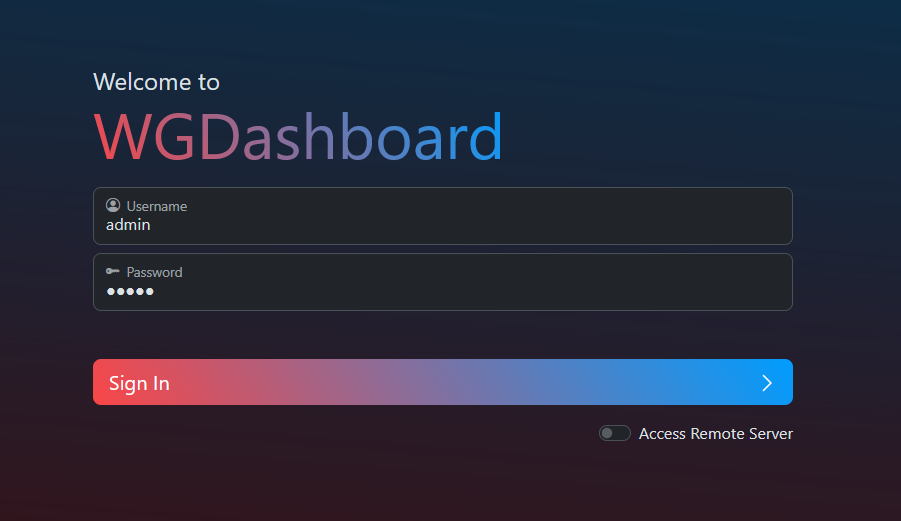
Type in
User : admin
Pass : admin
for primary admin setup
✅ Common Tasks After Login
-
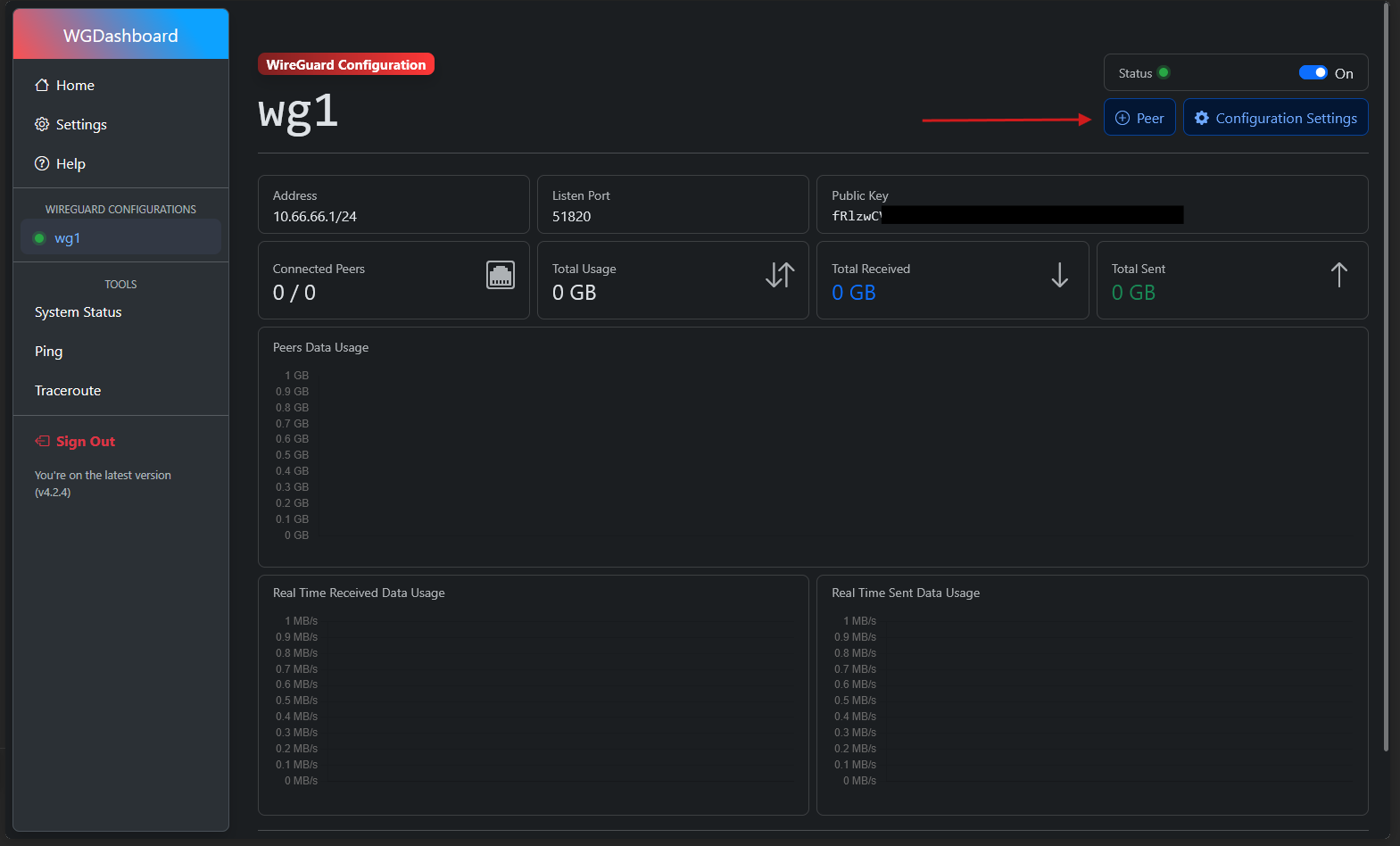
Add a Peer: Use the GUI to generate client configs
-
Add name and click
add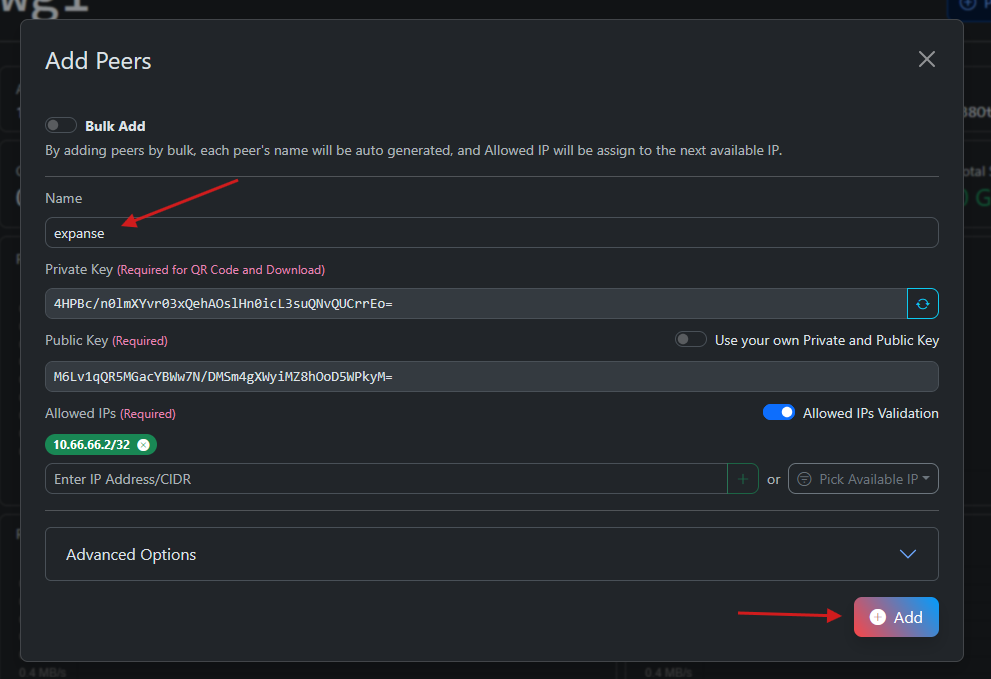
-
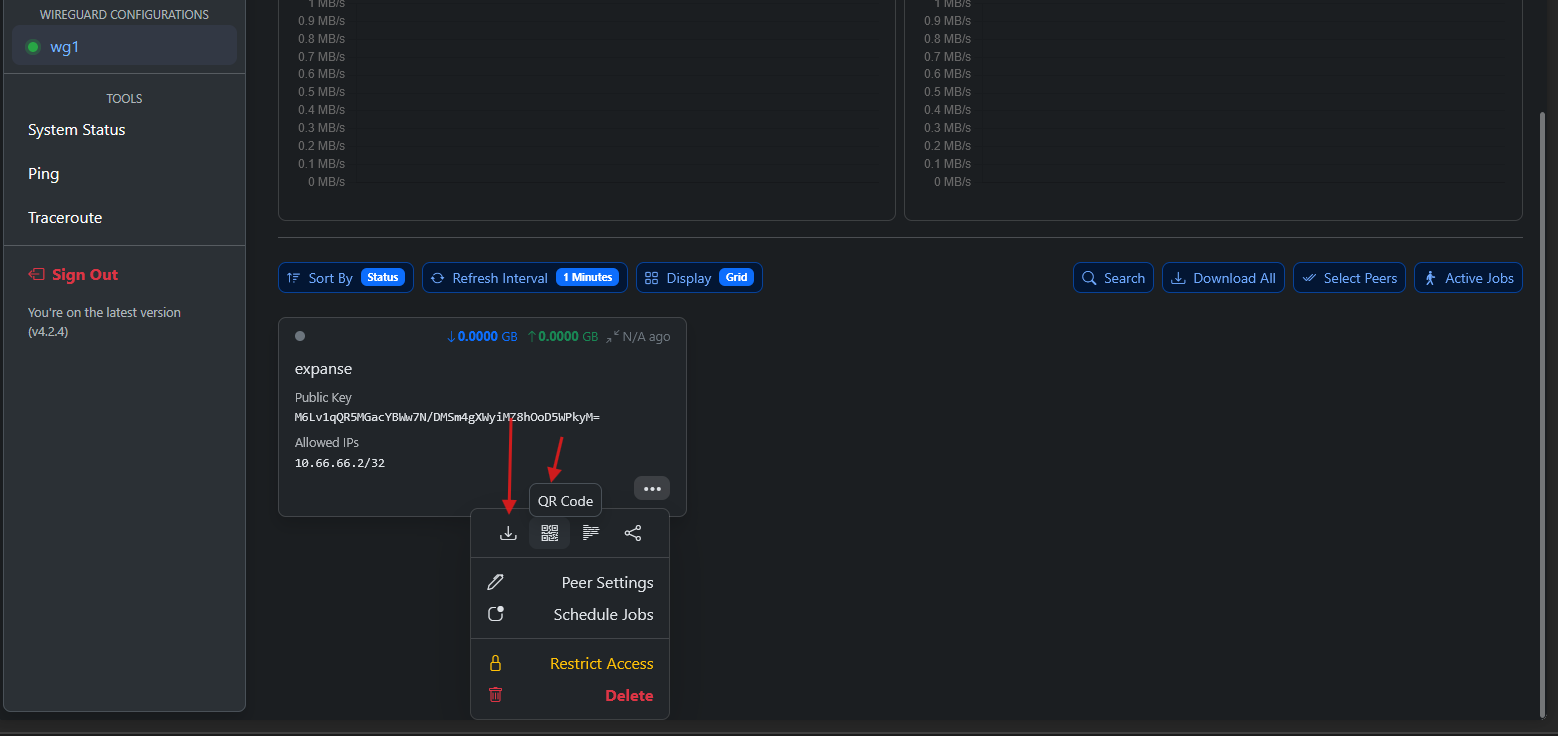
Download QR or .conf and import into the WireGuard app
-
Monitor Logs:
/opt/WGDashboard/src/log/stores logs -
Edit Server Settings: Modify
/etc/wireguard/wg0.confif needed
🔒 Security Tip (OPTIONAL)
Restrict dashboard access using:
-
UFW/iptables rules
-
Nginx reverse proxy + basic auth
-
Setting up MFA on WGDashboard
🧠 FAQs
Q: Does this break after a reboot?
No. WireGuard auto-starts. WGDashboard needs to be restarted after reboots. Use the command :
cd /opt/WGDashboard/src && ./wgd.sh restart
Q: Can I use my own IP range or port?
Yes. Modify /etc/wireguard/wg0.conf or use the dashboard settings.
Q: Is this VPN usage legal?
Yes. We simply provide a tool. Usage depends on local law and user intent.